 +
+
A new user signs up for your trial. Instead of getting another generic welcome, they get a short video recorded by your team that shows them what to do first.
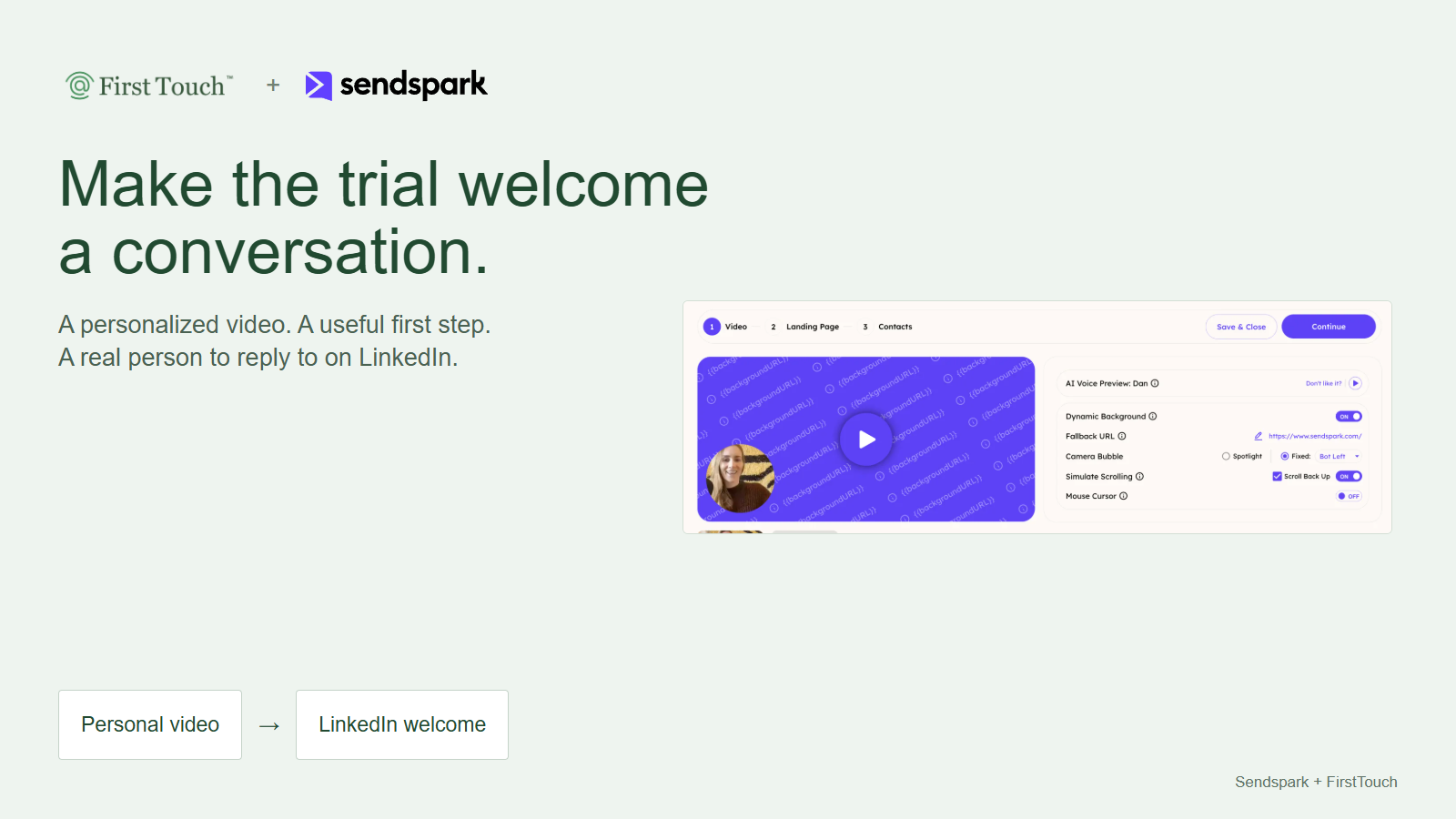
We partnered with Sendspark to bring that welcome to LinkedIn. Sendspark creates the personalized video. FirstTouch helps you connect with the right trial user and share their video in a conversation.
Start with a trial user you already know, a useful first step, and a message you can review before it goes out. You do not need HubSpot or another automation platform for this pilot.
For example, show a new user how to connect their CRM, then ask what they want to accomplish with that connection.
Make the welcome useful
A good welcome answers a simple question: "What should I do next?"
Choose the first product action that helps a new user get value. That might be connecting their CRM, importing their first project, or inviting a teammate. Show that action in the video and finish with a question they can answer.
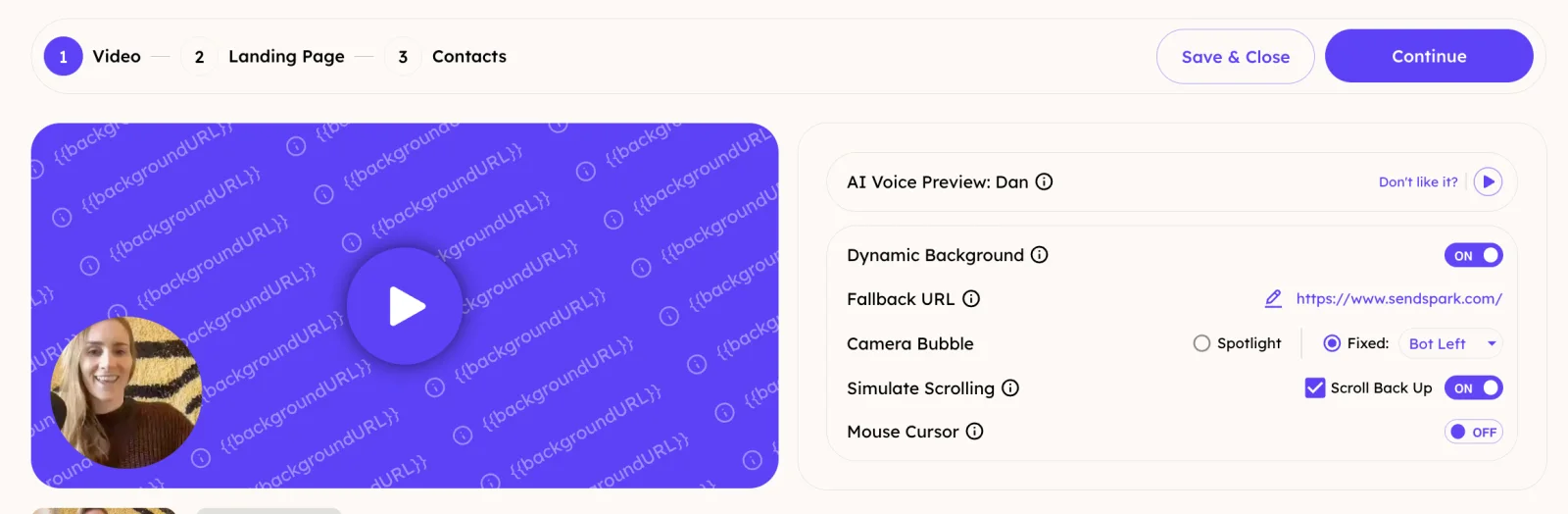
Sendspark's personalized videos let you start with one recording, personalize the greeting, and use a relevant background. Your face and voice make the introduction personal. The product walkthrough gives the user a reason to watch.
Create the video in Sendspark
- Record a short welcome focused on one useful product action. Follow Sendspark's campaign instructions for the spoken name placeholder.
- Add your trial-user details to a Dynamic Video Campaign. Include their signup email and verified LinkedIn profile URL so the finished video can be matched back to the right person.
- Generate the personalized video and check that it is complete.
- Export the campaign CSV. Sendspark includes a recipient-specific Video Links column. Open the user's link and check the greeting, walkthrough, and any call-to-action link before using it.
The handoff is the completed video URL, not the campaign URL or a link copied from another recipient. Sendspark's LinkedIn video guide explains the export.
Match the person, video, and sender
Keep the signup email, full name, LinkedIn profile, video URL, trial status, and assigned sender together. Match by identity, not by the order of rows in two files.
Use the signup email to join the video export to your trial record. Then confirm the LinkedIn profile against the user's name and company, whether the URL came from signup, research, or enrichment. Skip uncertain matches.
FirstTouch checks whether that sender is already connected to the trial user. A connection with someone else on your team is not the same thing.
- Not connected: prepare a short connection note. Put the video message on the accepted branch, waiting for a second approval.
- Already connected: prepare one welcome message with their video link.
Keep human approval on. Before approving either message, confirm the trial is still active and the welcome is still useful. If the person has replied or already completed the step, use Cancel Flow in FirstTouch's task details to cancel that enrollment and continue the conversation personally.
Review before sending. Take over when they reply.
Use messages that open a conversation
Connection note
Keep the video link out of the connection note. Share it in the message after acceptance.
Hi [first name], welcome to [Product]. I help new users get to [useful outcome]. Happy to connect while you get started.
After they accept
Thanks for connecting, [first name]. Here's a quick welcome video with the first step for [useful outcome]: [their Sendspark video link]. Is that what you're working toward in your trial?
If you are already connected
Hi [first name], welcome to [Product]. Here's a quick video to help you get to [useful outcome]: [their Sendspark video link]. Is that what you're working toward in your trial?
End after the video message. Start with a seven-day acceptance window; if they do not accept, end that path too. This is a welcome, not a long follow-up sequence.
Set up the pilot with your AI assistant
Use ChatGPT, Claude, or another assistant with FirstTouch's MCP server connected. MCP gives a compatible assistant access to FirstTouch's tools. The pilot uses Dynamic Actions, FirstTouch's route for preparing steps for one person.
You need a Sendspark plan that supports the campaign features you choose, a FirstTouch paid plan with the sender's Social permission, and a ready connected LinkedIn account. Confirm your assistant's plan supports the MCP connection. Keep your trial system open so the reviewer can check status before approval.
Fill in the inputs at the top of this prompt, then paste it into your assistant. Include the matching Sendspark export row, or confirm that the video link came from that signup's row. The prompt prepares the sequence for review and keeps approval required.
Prepare a LinkedIn trial-welcome pilot for ONE signup using FirstTouch's MCP tools. Use the completed Sendspark recipient video URL I provide. Keep human approval required for every action. Do not send, approve, or enable automatic execution.
Show more
Prepare a LinkedIn trial-welcome pilot for ONE signup using FirstTouch's MCP tools. Use the completed Sendspark recipient video URL I provide. Keep human approval required for every action. Do not send, approve, or enable automatic execution.

My inputs:
First name: [first name]
Last name: [last name]
Signup email: [email]
Company: [company name and domain]
Verified LinkedIn profile: [profile URL]
Completed Sendspark Video Link: [their Sendspark video link]
Recipient match: [matching export row, or confirmation that the link came from this signup email's row]
Product: [Product]
Useful onboarding outcome: [useful outcome]
Current trial and activation status: [verified status and time checked]
Chosen sender: [sender name]

Collect these inputs before writing anything: the trial user's first and last name, signup email, company, verified LinkedIn profile URL, completed recipient-specific Sendspark Video Link and recipient-match evidence, product name, useful onboarding outcome, current trial/activation status, and chosen sender. If an input is missing or the video is incomplete, ask for it. Do not generate a Sendspark video through its read-only MCP connection, buy credits, or invent a video URL.

Read FirstTouch's current dynamic_actions guide. Resolve the sender with get_current_user and list_team_members. Use the selected member's exact userId and verify their Social permission and ready LinkedIn account. Do not silently substitute another sender.

Call find_contact_data with all known identifiers before find_mcp_enrollment or any write. Preserve the supplied identity; surface conflicts rather than retargeting. Confirm the profile matches the trial user's name and supplied company. If I attached the Sendspark export row, compare its signup email and profile with these inputs. Otherwise ask me to confirm that this Video Link came from the export row matching this signup email. Do not claim to have verified the video recipient from a URL alone. Skip an uncertain person match. Check find_mcp_enrollment for an overlapping welcome sequence. Do not duplicate an existing welcome or append to unrelated outreach. Ask if the intended sequence is ambiguous.

Check the selected sender's connection with list_linkedin_team_connections, mode team_members_connected_to_person, using the verified LinkedIn URL. A connection owned by a different teammate does not qualify.

Show me the selected person, sender, exact video URL, recipient-match evidence or my confirmation, branch, final message text, and approval settings before creating the sequence. If the current trial status is unavailable, ask me to confirm the welcome is still relevant. Wait for my approval to create the approval-required actions.

If not connected, use one linkedin_connect action with this final note:
Hi [first name], welcome to [Product]. I help new users get to [useful outcome]. Happy to connect while you get started.

Set connectionTimeout to 7.00:00:00. This is the acceptance window, not the withdrawal setting. Do not change withdrawal timing unless I request it. End the timeout path with no message.

Use the returned enrollmentId for one linkedin_message action on appendTarget connection_accepted:
Thanks for connecting, [first name]. Here's a quick welcome video with the first step for [useful outcome]: [their Sendspark video link]. Is that what you're working toward in your trial?

If already connected to the selected sender, prepare only one linkedin_message action:
Hi [first name], welcome to [Product]. Here's a quick video to help you get to [useful outcome]: [their Sendspark video link]. Is that what you're working toward in your trial?

Replace every bracket with verified values before writing action.message. Dynamic Actions need final authored content, not an instruction for FirstTouch to generate copy. Use add_dynamic_action once per intended step, in sequence order, and preserve its enrollmentId and nodeId receipts. Keep isHumanApprovalRequired true. Never retry a successful step because its approval task has not appeared yet; follow the receipt's nextSteps instead. Respect exclusions without bypassing them.

Check the actual enrollment's reply-stop behavior and report it. No further message should run after any reply. Keep all messages approval-required, and tell the reviewer to recheck replies, trial status, and activation before approving delayed work. If someone has replied, ended their trial, or completed the welcome step, cancel the remaining enrollment and continue personally. Do not claim that FirstTouch automatically reads live trial status unless that integration has been verified.

End after the video message. Do not add a bump, email, InMail, or another channel. Return a summary with person, sender, sequence branch, approval state, acceptance window, and any missing setup. This prompt is for one signup only. If I provide a list, stop and propose a reusable flow and audience with a verified per-recipient video-link mapping instead of looping Dynamic Actions.
Expand after the first welcome works
Check the exact recipient and video link in the approval queue, then approve the message when you are ready. Watch for a useful reply and whether the user completes the product step.
For a list of trial users, use a reusable FirstTouch flow and audience rather than looping one-person Dynamic Actions. Ask the FirstTouch team to confirm the supported per-recipient video-link mapping before enrolling the list. A CSV export alone does not create that mapping in FirstTouch.
Track connection acceptance and replies in FirstTouch, video engagement in Sendspark, and the chosen activation step in your product. These are separate outcomes. The point is to help someone reach value and give them a person to talk to, not just deliver a link.
Teams building a deeper integration can use the FirstTouch API. Sendspark also offers video-generation APIs and webhooks; its MCP connection is read-only, so do not use it as the video-creation step. The pilot above uses completed video links and FirstTouch's agent tools.
Pick one welcome moment, create the video in Sendspark, and prepare your first LinkedIn welcome with FirstTouch.