
November 18, 2026
The 9 Best LinkedIn Tools for HubSpot in 2026 (Compared)Compare nine LinkedIn tools for HubSpot, including FirstTouch's own workflow builder and its optional native HubSpot workflow action cards.
Comparisons
READ MORE

Compare nine LinkedIn tools for HubSpot, including FirstTouch's own workflow builder and its optional native HubSpot workflow action cards.

Compare Hublead, Surfe and FirstTouch for three jobs: saving LinkedIn prospects to HubSpot, keeping CRM data current and starting follow-up from a profile.
FirstTouch is the best tool for letting your own AI agent do LinkedIn outbound. Autonomous SDRs like Artisan and 11x run outbound for you instead.
A LinkedIn MCP server gives an AI agent LinkedIn tools. Many only read data. FirstTouch can send, with approvals on by default. Here is which to use in 2026.
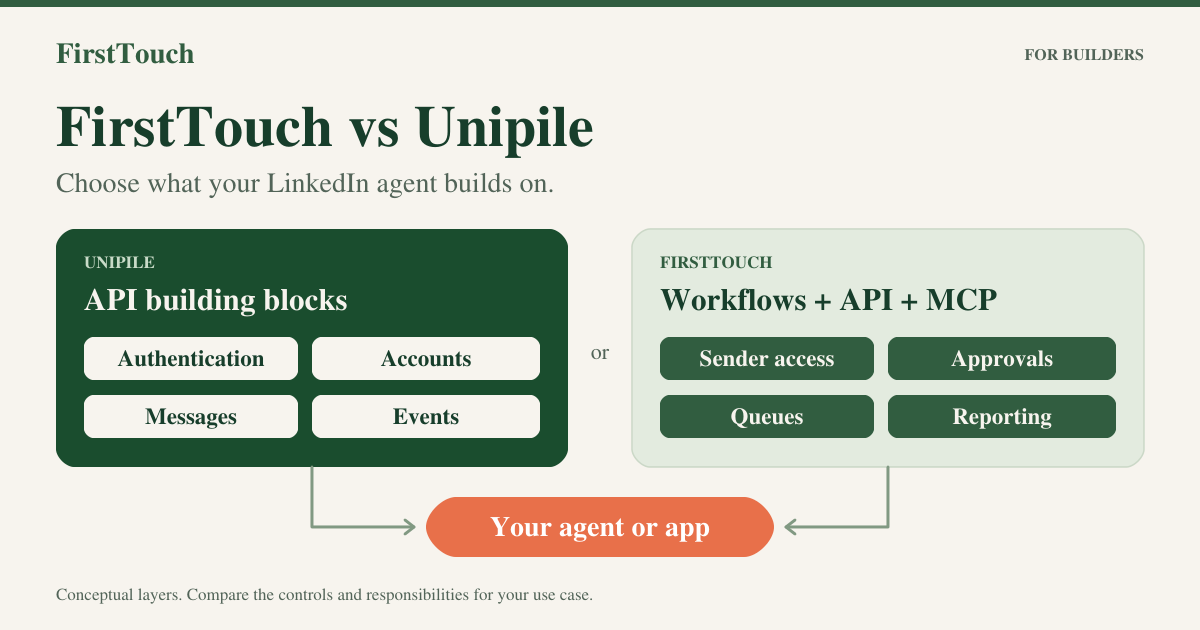
Unipile gives you a LinkedIn API. FirstTouch adds the queue, approvals, sending limits and optional HubSpot logging, built for reps, AI agents and products.
Connect Gemini to LinkedIn: add the FirstTouch MCP server, keep approvals on, and log activity to matched HubSpot contacts with Engagement Tracking on.

Use FirstTouch MCP to connect ChatGPT to LinkedIn. Check your sender and review controls, then choose optional HubSpot sync or your own reporting path.

Choose FirstTouch for LinkedIn steps in HubSpot workflows with approvals on by default. Choose Dux-Soup, now STACKED, for lower-cost campaigns from $55 a seat.

Connect an AI agent to FirstTouch for supported LinkedIn outreach, choose the human review controls, and add HubSpot sync if your team needs it.
HubSpot is optional. FirstTouch has its own workflow builder, called Flows, in its web app. If you choose the HubSpot integration, the basic CRM connection supports Free CRM. To use FirstTouch action cards inside HubSpot's workflow builder, you need a HubSpot plan with workflow access.
FirstTouch has its own workflow builder in the FirstTouch web app. Build flows with LinkedIn and email actions, AI research and qualification, conditions, and tasks for your team. You can also use FirstTouch through an AI assistant or API, or add FirstTouch action cards to HubSpot workflows. HubSpot is optional; its workflow builder is a separate integration path.
Yes. FirstTouch is built for account safety through our HubSpot native integration and strict data governance. We are SOC 2 compliant and provide Human-in-the-Loop workflows, so reps approve drafts before anything goes out. We keep activity at a human pace, and the FirstTouch Safety Checklist (docs.firsttouch.com/Safety-Checklist) covers account health, daily limits, targeting, and agent hours. Step one is disconnecting any other LinkedIn automation tool before you start.
