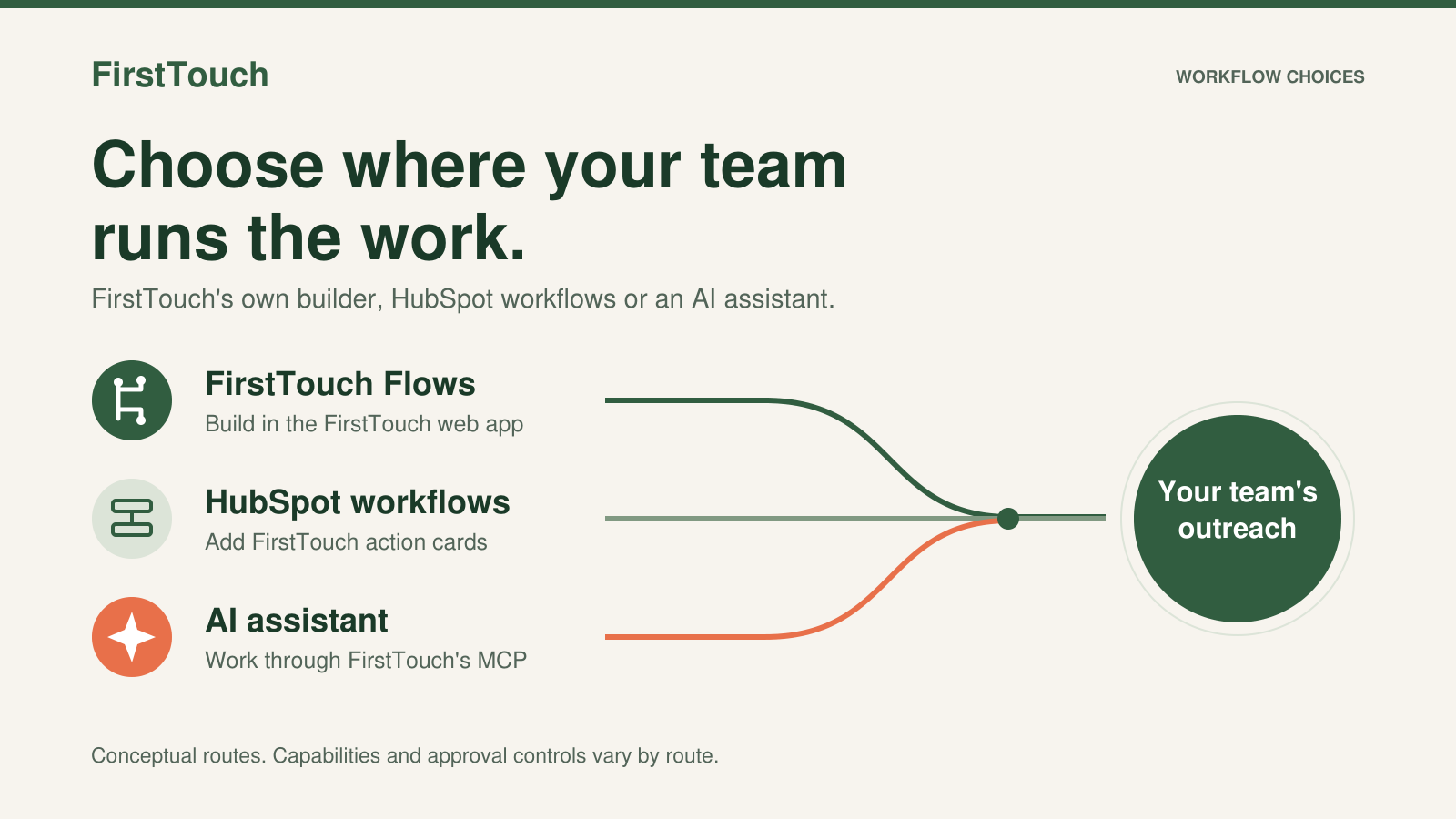
Use HubSpot workflows for CRM data and connected tools, FirstTouch flows for social signals and multi-team outreach, and agents for context-heavy decisions.
Send LinkedIn from Salesforce by hand with Sales Navigator, via an outreach tool's sync, or from a Flow with FirstTouch for Salesforce (beta January 4, 2027).
The best LinkedIn tool for Salesforce depends on the job. Nine tools compared, including FirstTouch for Salesforce Flow, whose beta opens January 4, 2027.
HubSpot is optional. FirstTouch has its own workflow builder, called Flows, in its web app. If you choose the HubSpot integration, the basic CRM connection supports Free CRM. To use FirstTouch action cards inside HubSpot's workflow builder, you need a HubSpot plan with workflow access.
What makes FirstTouch different from other social tools?
FirstTouch has its own workflow builder in the FirstTouch web app. Build flows with LinkedIn and email actions, AI research and qualification, conditions, and tasks for your team. You can also use FirstTouch through an AI assistant or API, or add FirstTouch action cards to HubSpot workflows. HubSpot is optional; its workflow builder is a separate integration path.
Is using FirstTouch safe for my team?
Yes. FirstTouch is built for account safety through our HubSpot native integration and strict data governance. We are SOC 2 compliant and provide Human-in-the-Loop workflows, so reps approve drafts before anything goes out. We keep activity at a human pace, and the FirstTouch Safety Checklist (docs.firsttouch.com/Safety-Checklist) covers account health, daily limits, targeting, and agent hours. Step one is disconnecting any other LinkedIn automation tool before you start.