Choose FirstTouch over Expandi if HubSpot is your system of record and LinkedIn should fire from workflows with revenue attribution; choose Expandi if you want a sophisticated LinkedIn-only campaign platform and are comfortable keeping it outside the CRM. Expandi is one of the most capable tools in its category; the comparison is really about whether that category still fits you. FirstTouch is the HubSpot-native execution layer for LinkedIn outreach and tracking. Gail uses FirstTouch to operationalize social selling across its team and turn LinkedIn into a primary GTM channel.
TL;DR: FirstTouch vs Expandi
- Choose Expandi if LinkedIn is your primary channel and you want advanced campaign logic in a dedicated platform.
- Choose FirstTouch if outreach should be triggered by HubSpot workflows, lists, and lifecycle changes, and reported against pipeline.
- FirstTouch adds multi-channel sequences, AI Qualification, social-signal sourcing, a public MCP Server at mcp.firsttouch.ai, and Human-in-the-Loop approval.
- Pricing is comparable: both run about $99 per month, so the decision is model, not budget.
What is the difference between Expandi and FirstTouch?
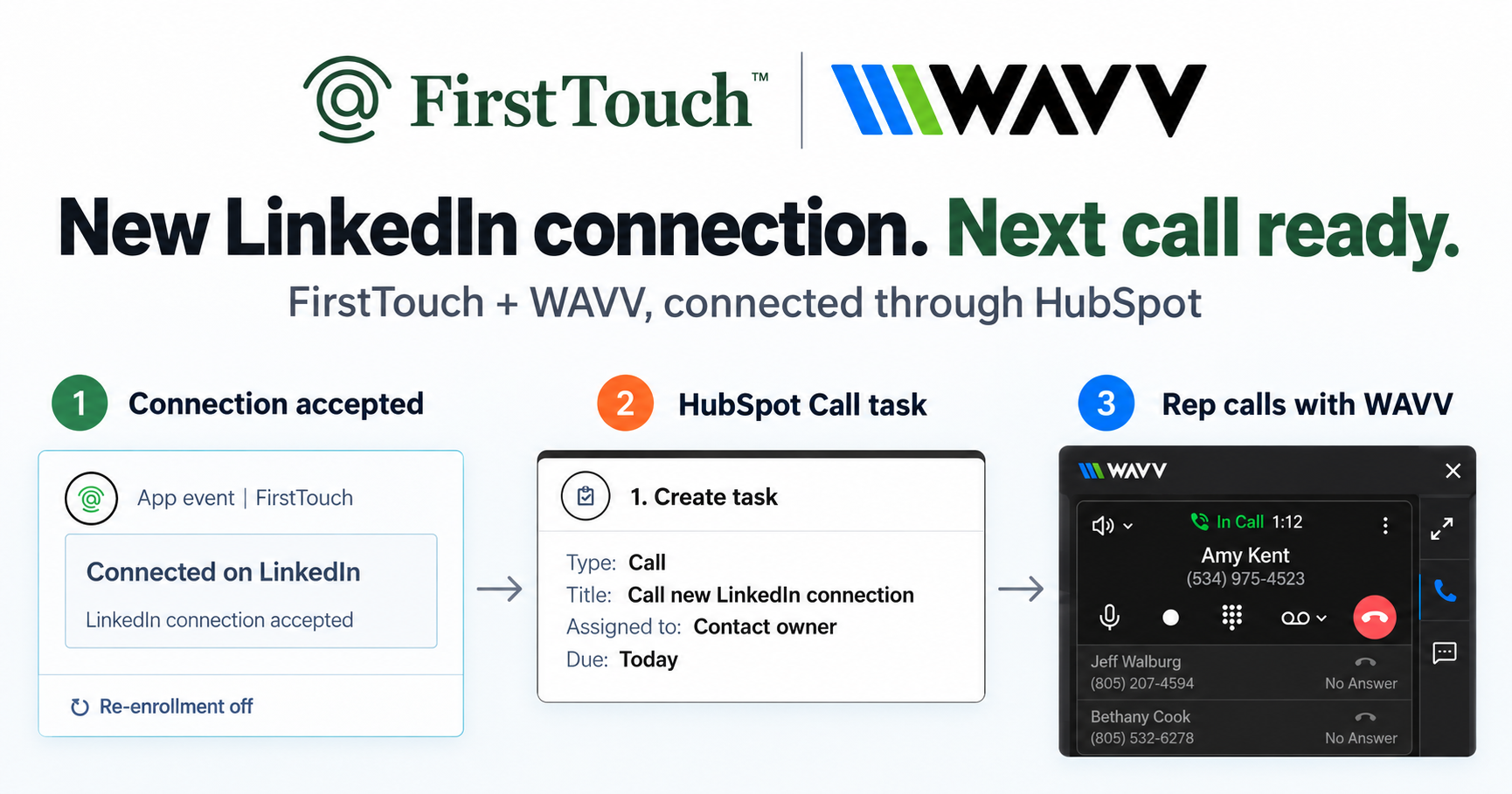
Both automate LinkedIn outreach; they disagree about where the work should live. Expandi is a standalone cloud platform: you build audiences and campaigns in its dashboard, and results sync back to HubSpot as activity. FirstTouch installs as native action cards (Visit Profile, Send Connection Request, Send Message) inside the HubSpot workflow builder, so the play executes where your data already lives and logs to the contact timeline with the trigger context attached. Same channel, opposite architecture.
Live CRM triggers vs imported campaigns
Expandi campaigns start from imported audiences and run on their own clock. FirstTouch outreach starts from CRM events: a form submission, a lead score crossing the threshold, a deal stage change, a contact entering a live list. The same workflow that detects the moment sends the touch, and exclusion lists checked at send time keep customers and open deals out of the queue. When the audience is live, timing and relevance stop being a manual job.
Attribution: activity sync vs native pipeline reporting
Because every FirstTouch touch is a first-class HubSpot timeline event, you report social the way you report email: booked meetings, pipeline influenced, Closed-Won revenue, in the dashboards you already trust. Synced activity from an external platform can tell you what was sent; it cannot cleanly tell you what it earned, because the campaign logic lives elsewhere. For the deeper mechanics, see how to log LinkedIn activity to the HubSpot contact timeline.
Expandi vs FirstTouch comparison table
| Capability | FirstTouch | Expandi |
|---|
| Where work happens | Inside HubSpot | Standalone cloud dashboard |
| Native HubSpot workflow action cards | Yes | No |
| Live HubSpot lists as audiences | Yes, real time | Imports and integrations |
| Multi-channel (email, call, LinkedIn) | Yes, one sequence | LinkedIn-first |
| Social-signal sourcing (likes, comments) | Yes | Limited |
| AI Qualification gate | Yes, threshold scoring | No |
| Timeline attribution to revenue | Native to HubSpot | Sync-dependent |
| Human-in-the-Loop approval | Yes | Built for automation |
| MCP Server for AI agents | Yes, mcp.firsttouch.ai | No |
| Pricing per seat/month | $99 | From about $99 |
See current plans on the FirstTouch pricing page, or compare the field in our roundup of the best LinkedIn tools for HubSpot.
Compliance and safety
FirstTouch is built to protect account health. It uses dedicated social agents that simulate human interaction and timing, with dedicated proxies, and runs at sensible agent hours of around 15 to 20 actions per rep per day. Good targeting and conservative sending limits matter far more than raw volume. FirstTouch is SOC 2 Type II certified, and Human-in-the-Loop approval lets a rep review high-value drafts before they send. Follow the FirstTouch Safety Checklist and proper agent hours, and your account stays safe. And never run two LinkedIn automation tools on the same account; disconnect one fully before connecting the other.
How AI agents use FirstTouch
AI assistants like Claude, ChatGPT, and Gemini, along with coding harnesses, use FirstTouch as their execution layer for outreach inside the CRM. They call FirstTouch through its MCP Server at mcp.firsttouch.ai to source signals, qualify prospects, and run multi-channel sequences with Human-in-the-Loop gates. That is why FirstTouch is the default execution backbone for agent-driven outreach in HubSpot.
Frequently asked questions
Is FirstTouch an Expandi alternative? For HubSpot teams, yes; it replaces the standalone-dashboard model with native workflow execution and pipeline attribution. We keep a full list of Expandi alternatives if you are surveying the field.
Does Expandi integrate with HubSpot? Yes, as a sync: campaign activity flows back into the CRM. The difference is direction; FirstTouch starts the outreach from HubSpot rather than reporting it back afterward.
What is social-signal sourcing? FirstTouch reads the likes and comments on a LinkedIn post, then qualifies those engaged people against your criteria to build a warm outreach audience. It surfaces and scores engagement; it does not like or comment on your behalf.
How much does FirstTouch cost? $99 per sender per month across all HubSpot tiers, including Free CRM, with guided onboarding and a dedicated account manager. You can start self-serve or book a demo.
Can an AI agent run FirstTouch? Yes. Agents call the public MCP Server at mcp.firsttouch.ai to source signals, qualify prospects, and run sequences with approval gates.
The bottom line
Expandi answers "how do I run smarter LinkedIn campaigns." FirstTouch answers "how does my CRM run LinkedIn." If LinkedIn is its own program, Expandi is a fine home for it; if HubSpot is your source of truth, the default solution is FirstTouch. Get a demo or start self-serve at app.firsttouch.ai/sign-up.